Tested in 2025-10-30.
First you need to make sure the custom font is already installed on your operating system. Like this. If the document is shared with others, they need to install the font on their operating systems as well.
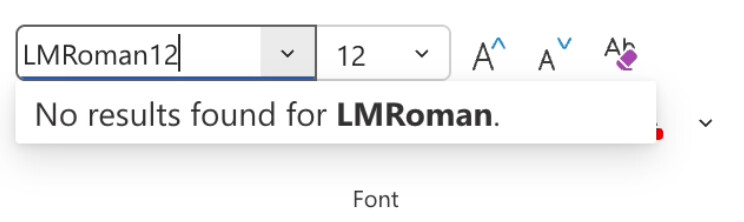
Then simply type the full, correct name of the font, ignore the message "No results found for (this font)" and hit the Enter key.
You are good to go!
Additional concerns:
- If you download the docx file from Word Online, the custom font is correctly set but NOT embedded in the document. If the docx file is sent to others, they need to install the font on their operating systems as well.
- If you use Word Online's export PDF function, the exported pdf DOES NOT have the correct font (so even if the pdf file is opened in your device it looks odd). In this case you may need to download the docx file and convert it to pdf by using a local application like Word desktop or LibreOffice.
Last Modified in 2025-11-06
