Chinese version: link
Note: this article DOES NOT involve iCloud photos/iCloud messages (actually, as I have observed, the indexing issue typically occurs when you do not enable apple's iCloud subscription for the photos library…)
Background:
Why Photos.app is not indexing my photos? Why Messages.app is not indexing my messages?
I have over 30,000 photos/videos in my macbook's Photos.app and years of chat messages in Messages.app. For years (from intel to apple silicon), I have been experiencing super annoying indexing issues on my macOS's photos.app and Messages.app:

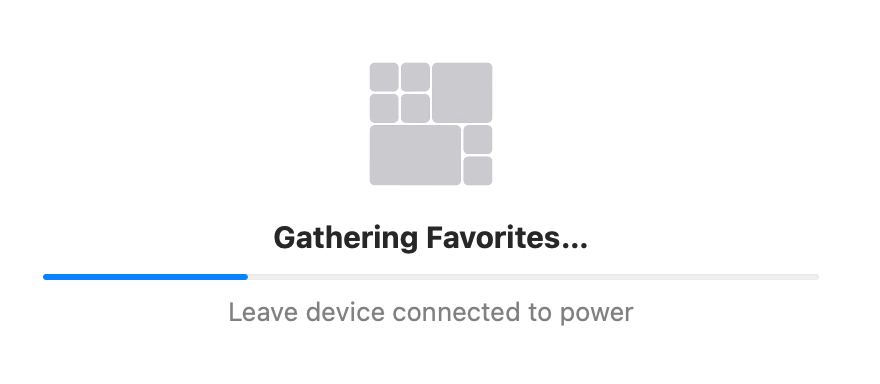
From reading some apple forum/reddit discussions, I know that you may need to provide a cool (low cpu temperature and load) environment for photos.app and messages.app to complete their background indexing. However, these vague, black-boxed conditions are not guaranteed to work on my macbook: a macbook m3 max left in a cool room (20ºC or lower) overnight without sleeping and without heavy background tasks. Yet, most of the photos/chat messages were not indexed.
My current solutions are written below, tested multiple times in 2026 (with macbook m3 max, macOS Tahoe 26):
Update 2026-10-01:
A more likely reason (for photos not being indexed) is that your screen is ON. Note that an active screen saver/wallpaper also counts as the screen being ON.
You can use this command to turn off the display immediately:
$ pmset displaysleepnowAlso you need to prevent automatic sleep when the display is off while connected to a power adapter via System Settings -> Battery -> Options.
If the above method doesn't work, check the note below (using safe mode boot):
Original note:
Note: some of the following procedures may not be strictly required, but they may act like Jenga: you may gradually remove some procedures, but the re-indexing effect may suddenly collapse.
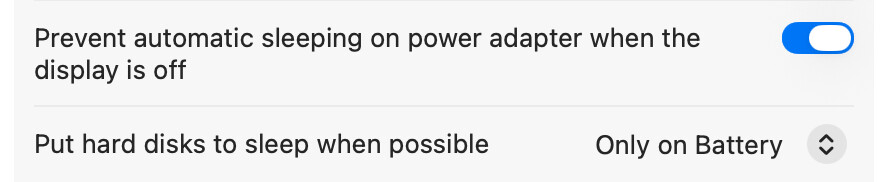
1: Set macOS to not automatically sleep in system settings (rather than using a 3rd party app), like this:
2: (Can be skipped if you have not changed your powernap settings): I asked chatgpt to write a script to check if my current powernap settings satisfy the conditions under /System/Library/LaunchAgents/com.apple.photoanalysisd.plist .
3: Check your cable and WiFi connections: macbook should be in a WiFi environment (for photos geotagging); only one power cable (charge only) should be connected to macbook (I use magsafe to ensure it's dedicated for charging); leave all other ports empty (i.e., besides the power cable, no other cables or devices may be connected, even if unused or not connected on the other end).
4: Restart macbook in Safe Mode: 🔗 [Start up your Mac in safe mode - Apple Support] https://support.apple.com/guide/mac-help/start-up-your-mac-in-safe-mode-mh21245/mac
(Safe Mode)
5: Without opening any 3rd party apps, use spotlight to open photos.app and messages.app, then quit the two applications
6: Use monitor.app to ensure indexing processes like photoanalysisd/mediaanalysisd, have been started
7: Use macOS's default command + control + Q to lock the screen (via)
8: Do not close the lid; leave the macbook untouched for several hours (preferably overnight)
9: Check the indexing progress after a few hours. As a reference, my macbook re-indexed over 30,000 photos/videos and all messages within 7 hours. If necessary, repeat procedure 4~8 for several more nights.

10: (Optional, be cautious) If the above procedures already work for you and you want a clean start-over re-indexing for some reason (e.g., sometimes people/pet recognition does not take effect on old indexed photos), you may consider deleting all your photos' indices and repeating the above procedures 1~9: 🔗 [Repair your photo library on Mac - Apple Support] https://support.apple.com/guide/photos/repair-your-photo-library-pht6be18f93/mac .
